Category: Technology

  • Microsoft Cybersecurity Expert: Please, Stop Using Internet Explorer As a Web Browser

    Internet Explorer has certainly passed its use by date. Not only does it look and feel old hat, but in 2015 Microsoft chose to discontinue it. Microsoft would like all users of Internet Explorer to refrain from using it and switch to a more up-to-date browser.
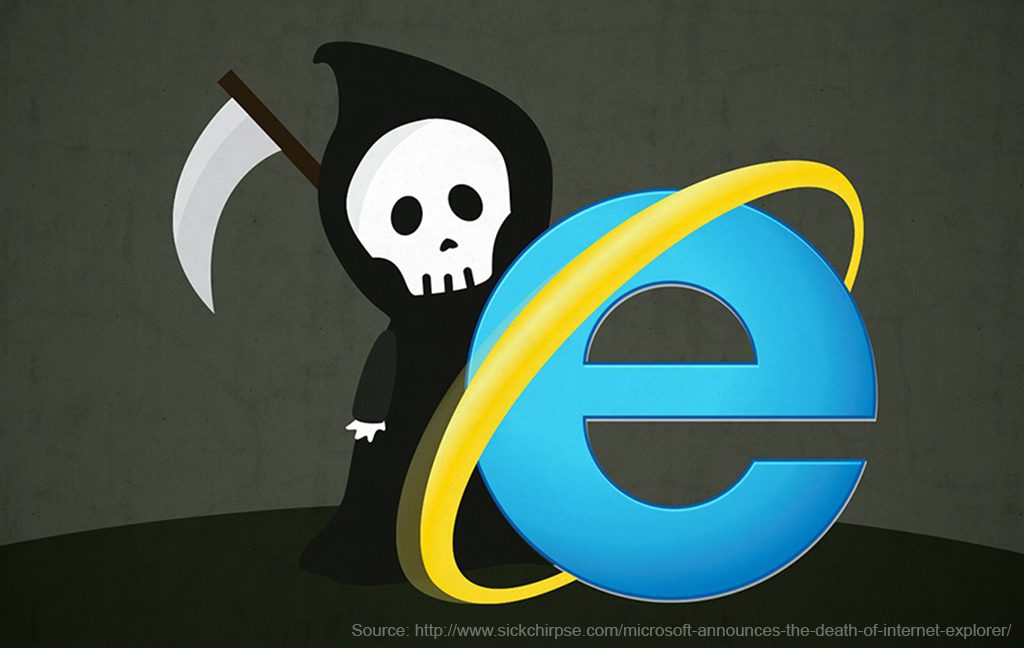
    Internet Explorer has certainly passed its use by date. Not only does it look and feel old hat, but in 2015 Microsoft chose to discontinue it. Microsoft would like all users of Internet Explorer to refrain from using it and switch to a more up-to-date browser.

    Since 12th of January 2016, Microsoft has not provided security updates, which patch vulnerabilities that can be exploited by malware, or any technical support for Internet Explorer. This means IE is unable to protect its users from new threats, so your data is not always safe. Regular security updates are needed to protect computers from malicious attacks.

    Without these critical security updates, your PC does become vulnerable to harmful viruses and spyware, along with other various malicious software, which can steal your business data and information.

    Chris Jackson, Microsoft’s cybersecurity expert explains that Microsoft customers still ask Internet Explorer related questions regarding business. The majority of internet users in this day and age use up-to-date browsers like Google Chrome, FireFox, or Microsoft’s Edge. The problem that some businesses have is that their older web apps or websites were designed for Internet Explorer. Using Internet Explorer today is just a ‘compatibility solution’.

    Jackson goes on to say he doesn’t even consider Internet Explorer to be a browser, at least in the modern standards-based sense. He does clarify that it’s still fine to use IE where necessary, just that companies should not be using IE as its default browser. Internet Explorer is still necessary for some enterprise solutions.

    “You see, Internet Explorer is a compatibility solution,” wrote Jackson in the blog. “We’re not supporting new web standards for it and, while many sites work fine, developers by and large just aren’t testing for Internet Explorer these days. They’re testing on modern browsers”.

    “So, if we continued our previous approach, you would end up in a scenario where, by optimizing for the things you have, you end up not being able to use new apps as they come out. As new apps are coming out with greater frequency, what we want to help you do is avoid having to miss out on a progressively larger portion of the web.”

    Jacksons warning is fair, but Microsoft hasn’t given businesses a great alternative. Microsoft released its Edge browser around four years ago, which was coupled with Windows 10. But Edge still continues to need Internet Explorer for the corporate intranet and you still need Internet Explorer to run older, less secure technology. Also, Edge has not been available on Windows 7 or Windows 8, which made things more complicated for IT admins.

    Microsoft has tried a few different methods to help businesses improve their older web apps, but for the most part IT admins have taken the easy way out and continued using Internet Explorer, as it has various compatibility modes that they need.

    When Edge released, it offered incredible performance and was a viable alternative to Chrome and FireFox. The problem was, Edge never really caught on in the same way that Chrome did when it was first released. Edge did not support legacy technologies and only offered IE 11 for enterprise solutions.

    Microsoft is now making the Edge browser Chromium-powered, which basically means it’s basing it on the technology Google use in their browser, Chrome. It’s quite clear Microsoft acknowledges that Chromes market share makes it the standard for today, for the everyday web user to IT admins. Edge is also being decoupled from Windows 10, which means users will now be able to download and install Edge on Windows 7, Windows 8 and even Mac. In doing this, it should help businesses progressively move away from using Internet Explorer. It will still take a few years for all legacy web apps to disappear completely.

  • Alpha Build of Google Maps’ Augmented Reality Mode

    Using Google Maps in the big smoke can have its issues. As you step off public transport and walk to your destination, you may realise you have been walking the wrong way. Maybe you became disorientated or it was your phone’s compass playing up. Google wants to solve this problem with its work-in-progress augmented reality mode.

    Using Google Maps in the big smoke can have its issues. As you step off public transport and walk to your destination, you may realise you have been walking the wrong way. Maybe you became disorientated or it was your phone’s compass playing up due to the fact you are surrounded by large metal infrastructure.

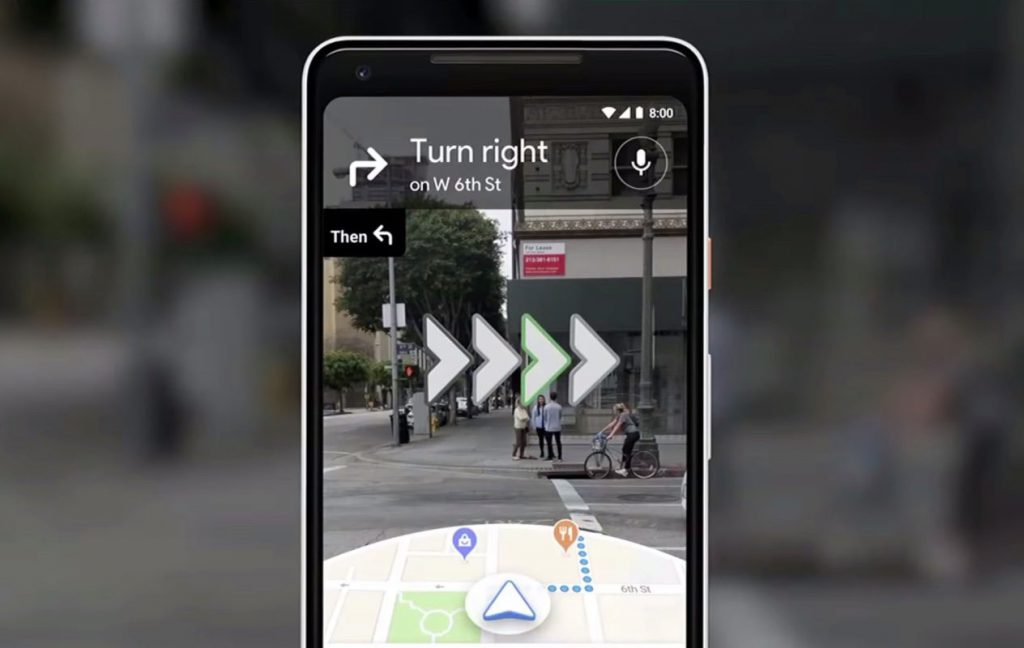
    Google wants to solve this problem with its work-in-progress augmented reality mode. This will use your camera’s view of the real world and will superimpose arrows and signs onto the real world, so you know exactly where to go. It uses the view of your camera and compares it to the Google Street View imagery database to figure out exactly where you are and which way you are facing. This makes up for inconsistencies from your GPS and/or compass. Currently, this app is in alpha testing stages.

    It was almost a year ago that Google first announced its plans for AR walking directions at its annual I/O conference, but it has been quiet on the subject since. A lot of this time has been spent figuring out the finer points of the UI. Safety became an issue as early users tried to stand directly on top of the line when walking, even when it was not safe to do so. Google tried using floating particle effects in the air to represent paths and curves. A user commented on this and described it as if they were ‘following floating trash’.

    Also noted by the Google Maps team was that nobody likes to hold their phone up for a long period of time. The AR experience is designed keeping in mind that users will only need to use this in short bursts.

    Using AR mode feels very much like Google Maps has for any other journey. Start by entering your destination as you normally would, then tap the walking directions button. The only difference is you tap the “Start AR” button instead of the “Start” button. Your camera’s view will now appear on the screen. The app will ask you to point your camera at a building or landmark, you will notice a bunch of dots appear as it recognizes landmarks and points of interest around you. After a few seconds, the dots will fade away, which are then replaced by arrows and markers to guide you on your journey. On the bottom of the screen, you will see a small cut-out showing your location on the map, which means you don’t have to switch modes see your ordinary map.

    Holding your phone more parallel with the ground, Google Maps shifts back to the normal 2D map view. Hold your phone up like your reading a text message and Google Maps switches back to AR mode. Google Maps AR certainly works better in some situations than it does in others. This is to do with the view your camera has to relevant buildings and landmarks from your point of view. The clearer it can see that sort of infrastructure the more accurately the app works. If you are somewhere like in the middle of a plaza, it will probably take a few more seconds to get its bearings.

    After seeing other companies using AR, Google decided their AR experience is something you should only view for a few seconds at a time. Looking at the world through your phone for a long period of time can make you a victim to what’s happening around you, from thieves to walking into a pole. The city is best experienced with your own eyes anyway.

    One part of this app works by using your camera; it takes that image and compresses it, then sends it to google. Once the image gets to the cloud, Google then analyzes that image and picks out the unique visual features. While Google is doing that, it is already analyzing your GPS location. From this information, Google has two points of reference, the image from your camera and your GPS location. This is enough for Google to work out exactly where you are and what you are looking at.

    Currently, Google is rolling out this product to the “Local Guides“, which is a community-based group that gives feedback to Google. Google currently doesn’t have a time frame for this product to hit the mainstream.

  • Hackathon and Porsche’s dive into Virtual and Augmented Reality

    The Virtual Reality Hackathon took place earlier in the year, looking at the latest in VR, XR and AR technologies. It is the world’s largest Hackathon, involving the examination of different technologies and how these can be used in generating new experiences.

    AR, VR and XR have become common place in many important industries. It is currently being used in the entertainment industry and is starting to be used in the manufacturing, healthcare, retail, military and communications industries, to name a few.

    An example of this, is elevator service technicians, who are able to see technical information while analysing and repairing machines on site. Some large retail chains have virtual fitting rooms and smart mirrors that interact with the customer, enhancing their experience. In the field of medicine, there are scanners that project a map of the internal circulatory systems on the patient’s body.

    There are plenty of great use cases of virtual, augmented and cross reality, which have the potential for gaining traction in future technologies in other industries.

    Porsche is currently working with these new technologies in the areas of training and service, as well as customer experience, and are endeavouring to improve and develop in these areas. Virtual reality and the drone ‘Alice’ is helping Porsche’s after-sales employees worldwide understand complex technical concepts. Alice’s job is to guide the mechanics through a series of repair steps on the high-voltage battery found in the Panamera 4 E-Hybrid. While under the supervision of Alice, each step is executed in a safe manner, as it takes place in virtual reality. This is a huge advantage, as the most complex training can be done safely and more efficiently.

    Virtual reality is also the ideal technology for the car enthusiast, providing a unique and exciting virtual experience. The launching of the new Porsche 911 Carrera S at LA Auto show last year, saw Porsche join forces with Slightly Mad Studios, to give an introduction to a new realistic VR experience, where visitors could test drive their latest model.

    Google and Porsche have been working together and have developed the “Mission E Augmented Reality” app. Potential customers can position the “Mission E” at home in the living room or in their driveway. It includes different view modes to allow them to digitally explore Porsche’s first totally electric sports car, the Taycan. Customers can even take an augmented reality test drive using the app on their smartphone for a more complete virtual experience.

    Porsche have partnered with other companies to bring the very latest in ground-breaking technology. For example, in their partnership with WayRay, Porsche are bringing a holographic augmented head up display into their cars. WayRay produces augmented holographic images that are used as navigation systems. One of these navigation systems is Navion, which projects digital data onto the cars windshield, using a process called SLAM (simultaneous localisation and mapping). SLAM maps the environment constantly as you drive, while simultaneously keeping track of the car’s location.

    The Virtual Reality Hackathon took place earlier in the year, looking at the latest in VR, XR and AR technologies. It is the world’s largest Hackathon, involving the examination of different technologies and how these can be used in generating new experiences. It involves interdisciplinary teams from a diverse range of disciplines, such as designers, engineers, artists, coders, sound designers, students, storytellers and imaginative AR/VR enthusiasts from all over the world, with each participant promoting their ideas to form teams. Around a quarter, that is 400 of the 1600 or so participants with the best ideas are selected to create original cross reality experiences and applications.

    In the category “Best use of True AR SDK”, the WayRay team won for its software development kit, which involves the projecting of augmented reality onto a cars windshield. The team created the Accudrive app to help people drive more accurately and safely by integrating AR and ‘gamifying’ the driving experience. This led to a more interesting and fun driving experience as well as increasing road knowledge and safety.